
The Morning You Lose Everything: A Nightmare on the Dashboard
Imagine waking up, grabbing your morning coffee, and opening your analytics dashboard expecting to see a steady stream of overnight sales. Instead, you see a flatline.
Traffic has completely dropped off. Your live visitor count is at zero.
Panic sets in. You quickly type your online store's domain into your phone's browser to check if the server is down. But the website is perfectly online.
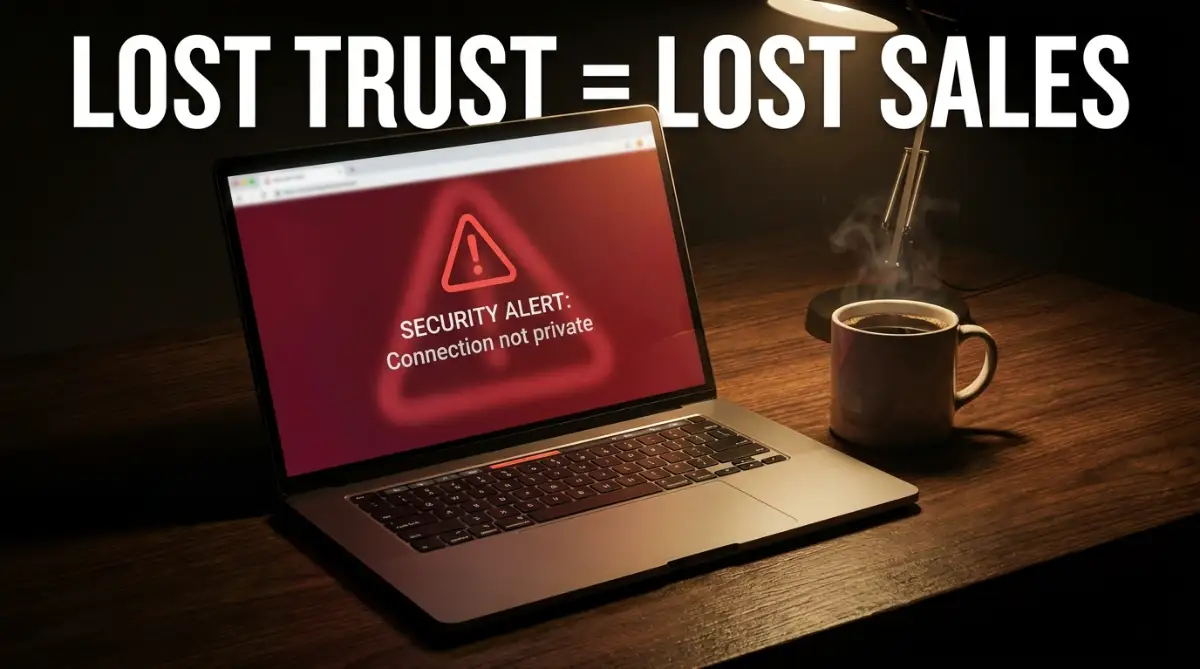
Instead of your beautiful homepage, you are slapped in the face with a massive, bright red screen. The bold text screams: "Your Connection is Not Private."
This is the exact heart-sinking moment thousands of e-commerce owners face when they forget one tiny administrative task. They ignored their SSL certificate renewal.
Think about the sheer amount of money you spend on Facebook ads, Google campaigns, and social media marketing. You work exhausting hours to drive potential buyers to your store.
But because of one expired digital certificate, every single click you paid for is being met with a terrifying warning. Customers think your site has been hacked.
They immediately hit the back button. They run straight to your competitors.
The emotional toll of this mistake is heavy. It is not just about the lost revenue for that specific day. It is about the permanent damage to your brand's reputation.
People who see a security warning on an e-commerce site rarely come back. They feel unsafe, and that feeling lingers long after you finally fix the issue.
The Mechanics of Trust: Why That Tiny Padlock Dictates Your Sales
Let me explain exactly what happens behind the scenes when your security certificate expires. It is easy to think of web hosting and encryption as boring technical chores.
Many business owners leave these tasks to their developers and never think about them again. But understanding this system is entirely necessary for your financial survival.
When a customer types their credit card number into your checkout page, that information has to travel across the internet to reach your payment processor.
If you have an active, updated SSL certificate, that data is scrambled into an unreadable code. We call this encryption.
Think of it like putting a highly sensitive letter inside a locked, steel box before handing it to a delivery driver.
Even if someone intercepts the box along the way, they cannot open it without the specific key. Your customer's data remains perfectly safe.
But when you neglect your renewal dates, that steel box suddenly vanishes.
Your customer's credit card numbers, home addresses, and private phone numbers are now being sent in plain text. It is exactly like writing their bank details on the back of an open postcard for the entire world to read.
What Your Customers Actually See When Things Go Wrong
You might think an expired certificate just means the little padlock icon disappears from the URL bar. I wish it were that simple.
Modern web browsers like Google Chrome, Apple Safari, and Mozilla Firefox have become extremely aggressive about user safety. They do not just quietly remove the padlock anymore.
They actively block users from entering your site.
When a shopper clicks your link, the browser intercepts the connection. It throws up a full-page, scary warning sign.
The messaging uses strong, alarming words like "Attackers might be trying to steal your information."
Put yourself in the shoes of a first-time buyer. Would you ever type your credit card details into a website that your own computer is calling dangerous?
Of course not. You would close the tab immediately.
Expert Insight: Trust is the single most expensive currency in e-commerce. You can offer the best products and the lowest prices in your industry. But if a buyer feels even a tiny drop of suspicion about their digital safety, they will abandon their cart without a second thought.
The Invisible Damage to Your Search Engine Rankings
The drop in direct sales is obvious. But there is a silent killer working in the background when your site loses its secure status.
I am talking about your organic search engine optimization.
Google has made it completely clear that user safety is a massive ranking factor. Their search algorithms are specifically designed to protect users from harmful corners of the internet.
When Google's bots crawl your online store and notice that your encryption has lapsed, they immediately flag your domain.
You will start to see a sharp decline in your organic keyword positions. Pages that used to rank on the first page will slowly slide down to page two, page three, and eventually disappear.
Why does this happen so fast?
Because search engines look at user behavior. When people click your link on Google, see the red warning screen, and immediately bounce back to the search results, it sends a terrible signal.
Google's algorithm assumes your website is broken, irrelevant, or dangerous.
Getting those rankings back after you finally renew the certificate is incredibly difficult. It can take weeks or even months of perfect performance to regain the trust of search engine crawlers.
The Man-in-the-Middle Attack Nightmare
We need to talk about the real-world security threats that open up when you ignore your hosting maintenance.
Hackers actively scan the internet looking for online stores with lapsed security. They know that these sites are easy targets for something called a "Man-in-the-Middle" attack.
Let me break down how this works in simple terms.
Imagine a customer is sitting in a local coffee shop, using public Wi-Fi to buy a pair of shoes from your store. Because your site is no longer encrypted, a hacker sitting a few tables away can easily intercept the Wi-Fi signal.
The hacker silently places themselves between your customer and your website server.
The customer thinks they are talking directly to your store.
But in reality, every keystroke, every password, and every credit card number is being recorded by the hacker first.
If this happens, you are not just looking at a few lost sales. You are looking at a massive data breach.
You could face severe legal consequences, heavy fines from payment processors, and the complete destruction of your business entity.
The Real Cost of Customer Acquisition
Let us look at this from a pure numbers perspective. Running a successful online brand is expensive.
You spend money on content creation, email marketing software, and paid advertisements.
Let us say your average cost to acquire a single customer (CAC) is twenty dollars. You spend that twenty dollars to get a highly targeted buyer onto your product page.
They love the item. They add it to their cart. They initiate the checkout process.
And then, right at the finish line, their browser blocks the transaction due to an outdated certificate.
You did not just lose the profit from that sale.
You completely threw away the twenty dollars you spent to acquire them.
Now multiply that by fifty or a hundred customers a day. You are actively burning your marketing budget because of a simple hosting oversight.
💡 Myth vs. Reality Check
- The Dangerous Myth: Only massive, multi-million dollar corporate websites need to worry about strict security renewals. Small boutique stores fly under the radar of hackers.
- The Harsh Reality: Automated hacking scripts do not care how big your business is. They scan for vulnerabilities globally. In fact, small online stores are targeted more frequently because hackers know small business owners often neglect basic security maintenance.
Why Payment Gateways Will Blacklist You
Your relationship with payment processors is the lifeline of your business. Companies like Stripe, PayPal, and Authorize.net have extremely strict security requirements.
They are legally obligated to ensure that transactions happen in a safe environment.
When your encryption expires, your website is instantly out of compliance with Payment Card Industry (PCI) standards.
Payment gateways constantly monitor the websites connected to their services. If they detect that your store is operating over an unencrypted HTTP connection, they will take swift action.
They will freeze your funds.
They will temporarily suspend your ability to process credit cards.
Imagine having hundreds of orders waiting to be fulfilled, but you cannot access any of your money to pay your suppliers. It causes a catastrophic cash flow crisis.
Getting your payment gateway account reinstated involves long phone calls, security audits, and a lot of wasted time.
A Quick Look at the Customer Experience
To truly understand the impact, let us compare the exact user journey between a secure store and a neglected store.
As you can clearly see, one small technical detail completely changes how a human being interacts with your brand.
How to Build an Unbreakable Renewal System
You cannot rely on your memory to handle these important technical dates. Running a business involves too many moving parts.
You need to set up foolproof systems that handle your domain and hosting security automatically.
First, leverage automated renewals.
Almost every reputable web hosting provider offers an auto-renew feature for security certificates. You must log into your hosting dashboard today and make sure this toggle is switched on.
Make sure the credit card on file with your hosting provider is up to date. An expired billing card is the number one reason automated renewals fail.
Second, utilize free, automated certificate authorities.
Services like Let’s Encrypt have completely changed the web hosting industry. They offer free certificates that automatically renew themselves every ninety days.
If your current host supports Let’s Encrypt, ask their support team to enable it for your domain. It removes the human error element entirely.
Third, set up external uptime monitors.
Do not rely solely on emails from your hosting company to warn you about expiring certificates. Sometimes those emails go straight to your spam folder.
Use third-party monitoring tools. These are simple software programs that ping your website every few minutes.
They do not just check if the server is online. They specifically check the health and validity of your encryption.
If your certificate is within seven days of expiring, these tools will send a loud alert straight to your phone.
By implementing these overlapping safety nets, you ensure that your store never goes dark. You protect your customers' data, you protect your search engine rankings, and most importantly, you protect your income.
Mastering Your Security Stack: Beyond Basic Auto-Renewal
Setting up automated payments is just the starting point of true digital security. Professional e-commerce managers take their protective measures far beyond basic hosting settings.
They build overlapping layers of security to ensure their stores remain online, trusted, and profitable. Let us look at how top-tier online retailers handle their encryption strategy.
One powerful approach is understanding the difference between standard certificates and Extended Validation (EV) certificates. While a free, automated option encrypts data perfectly well, an EV certificate adds an extra layer of visible trust for the consumer.
To get an EV certificate, your business must undergo a strict background check by the issuing authority. They verify your physical address, your legal corporate status, and your identity.
When a shopper visits a site with this high-level validation, modern browsers often display your actual company name directly next to the padlock. For high-ticket items, this visual proof of legitimacy can dramatically boost conversion rates.
You also need to think about securing your entire domain ecosystem. Many store owners only secure their primary checkout page.
This is a critical oversight.
You must enforce an airtight protocol known as HTTPS across your entire website. Whether a visitor is reading a simple blog post or looking at your "About Us" page, the connection must be locked down.
Google’s algorithm heavily favors websites that implement a "secure everywhere" policy. It sends a strong signal that you value consumer privacy at every touchpoint.
The Power of Redundant Security Alerts
Relying on a single point of failure is dangerous in business. If your hosting provider sends a renewal warning and it lands in your promotions folder, you are suddenly blind to an approaching disaster.
Smart store owners set up multiple alarm systems.
You can use dedicated uptime monitoring platforms, but you should also configure alerts within your primary analytics tools. For example, setting up custom alerts inside Google Search Console.
Google will actively warn you if they detect any security issues or mixed content warnings on your domain. This acts as a completely free, highly reliable secondary warning system.
It is also smart practice to add these technical renewal dates to a shared corporate calendar. Do not just keep it in your personal phone.
Invite your developer, your virtual assistant, or your business partner to the calendar event.
By making the renewal date highly visible to multiple team members, you drastically reduce the chances of it slipping through the cracks. If you are sick on the day the manual update is needed, someone else can step in.
A Quick Exercise: Take five minutes today to audit your third-party integrations. Sometimes, external plugins or payment apps require their own specific security configurations. Ensuring everything speaks the same secure language prevents unexpected checkout errors.

The Hidden Traps That Break Your Store's Encryption
Even when people try to do the right thing and renew their certificates, they often stumble into technical traps. These mistakes can cause the same terrifying browser warnings, even if the certificate itself is perfectly valid.
One of the most frequent headaches I see involves something called a "mixed content error."
Imagine you just successfully installed a brand new, valid security certificate. Your main domain is secure. But when a customer loads your product page, the browser still flags the site as dangerous.
Why does this happen?
It happens because somewhere on that secure page, you are loading an element over an old, unencrypted connection. It might be a tiny graphic, a tracking script from a third-party app, or an old product photo.
The browser sees that while the main page is safe, this single image is not.
Therefore, it considers the entire page compromised. The browser instantly throws up the red warning screen.
Fixing this requires you to comb through your website's code or use automated tools to force all assets to load via a secure connection. It is tedious, but absolutely necessary.
Forgetting the Subdomains
Another massive pitfall is neglecting the smaller, interconnected parts of your digital presence.
Let us say your main store is located at shop.com. You diligently update the security for this primary address.
However, your customer service portal is located at support.shop.com. Your affiliate dashboard is at partners.shop.com.
If you bought a standard, single-domain certificate, those subdomains are left completely exposed.
When a frustrated customer tries to reach your support desk and gets a security warning, their anger will multiply. They will immediately assume your entire operation is a scam.
To prevent this, you must invest in a Wildcard certificate. This specific type of encryption protects your primary domain and an unlimited number of subdomains attached to it.
It is slightly more expensive, but it saves you the administrative nightmare of tracking dozens of individual expiry dates across your business ecosystem.
The Danger of Ignoring Server Configurations
Sometimes, the issue is not the certificate itself, but how your hosting server is configured to handle the traffic.
When you move a website from an old HTTP connection to a secure HTTPS connection, you must tell the internet exactly what happened. You cannot just leave both versions floating around online.
If you fail to set up proper permanent redirects (known technically as 301 redirects), you create a massive problem.
Search engines will see two identical versions of your store. One secure, one totally unprotected.
They might accidentally rank the unprotected version, sending your hard-earned traffic straight into a browser warning. Even worse, it splits your SEO authority in half, heavily damaging your overall visibility.
You have to ensure that anyone typing your old, unsecure address is instantly and invisibly pushed to the new, locked-down version of your store.
These technical missteps are exactly why so many owners look for understanding the hidden structural issues to look for during a property inspection to protect their physical assets, but completely forget to inspect the structural integrity of their digital storefront. A weak foundation online is just as dangerous as a weak foundation offline.
Similarly, much like navigating what your standard homeowners insurance will not cover when disaster strikes, standard basic hosting packages will not automatically fix these complex configuration errors for you. You have to be proactive.
For further reading on how deep digital vulnerabilities can go, you can explore detailed reports on information security standards from the National Institute of Standards and Technology (NIST). Their guidelines show just how aggressively digital threats evolve.
Your Immediate Security Action Plan
We have covered exactly why that little padlock is the most important salesperson in your entire business.
You understand now that an expired certificate is not just a technical glitch. It is a direct threat to your revenue, your search engine rankings, and the trust you have worked so hard to build.
The good news is that preventing this nightmare is entirely within your control.
Do not wait for a warning email that might never arrive.
Take a few moments right now to open your hosting dashboard. Check the exact expiry date of your current encryption.
If auto-renew is not enabled, turn it on immediately. Double-check that your billing details are accurate and funded.
If you are running multiple subdomains, verify that every single touchpoint of your brand is protected. Run a quick scan for mixed content errors on your top-selling product pages.
By treating your digital security with the same respect you treat your inventory or your marketing budget, you build a solid foundation.
You ensure that when a customer arrives eager to buy, the only thing they experience is a smooth, safe, and highly professional transaction. Your online store is your digital real estate; keep the front door locked, and the sales will keep rolling in.
Disclaimer: The information provided in this article is for general educational purposes only and does not constitute formal legal or technical IT advice. Web hosting environments and security protocols change frequently. Always consult with a certified web developer or your dedicated hosting provider before making significant changes to your server configurations or security settings.